External camera support
Plug newer mirrorless cameras directly into iPad via USB-C, or use HDMI capture for pro bodies. Shoot on your glass, at your settings.
Born from 700+ weddings
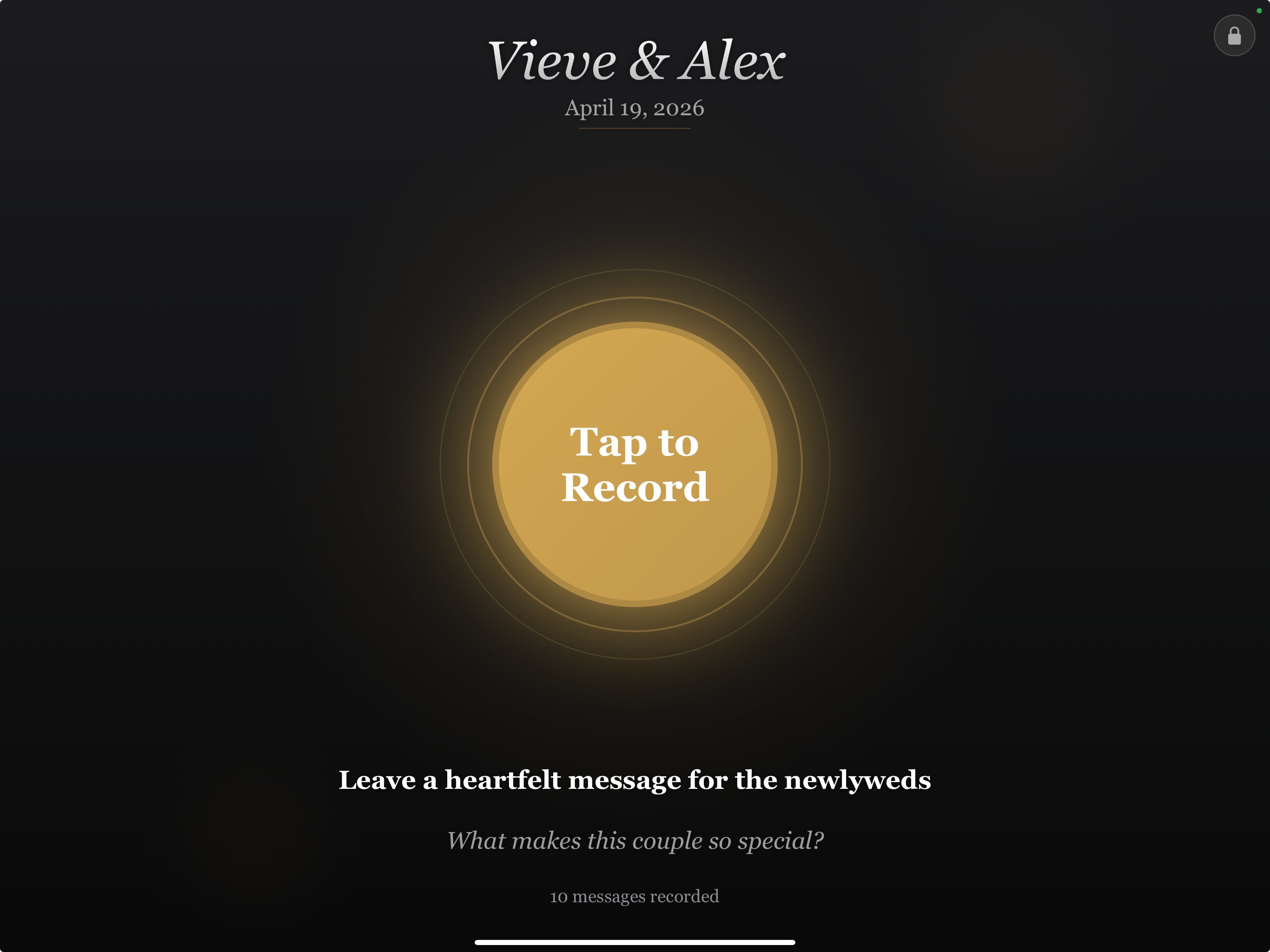
ReelToast is an iPad kiosk that captures heartfelt video messages from wedding guests. External camera and mic. Three minute setup. Walk away, then deliver a highlight reel your couple will rewatch for years.
Not a rental booth. Not another QR upload gallery. ReelToast is a pro workflow for studios, DJs, venues, and booth operators who want a high margin wedding add-on that feels premium at the reception.
Compare optionsFrom real studios
Early feedback from photographers, filmmakers, and DJs testing ReelToast at weddings right now.
"We used ReelToast at three weddings last month. Every single couple cried watching the playback. This is the easiest upsell we've ever added to our packages."
Beta Studio
Wedding filmmaker, Michigan
"I charge $400 per event for the video guest book. ReelToast costs me $25 a month. I was profitable after my first booking. The math is a no-brainer."
Beta Studio
Photo & video studio, Indiana
"Setup took three minutes. Guests figured it out without any instructions. I set it next to my DJ booth and it ran itself the entire reception."
Beta Tester
Wedding DJ, Chicago
Features
Every feature answers a specific wedding day problem: bad audio, dark corners, guests wandering into settings, venue WiFi that disappears, and files that need to make it home safely.
Plug newer mirrorless cameras directly into iPad via USB-C, or use HDMI capture for pro bodies. Shoot on your glass, at your settings.
External mic input with high-pass filtering, compression, and limiting. Raw files always preserved so heartfelt messages stay usable in the final edit.
Guests only see the record flow. Settings, deletions, exports, and event controls stay behind a hidden admin gesture and PIN.
Everything records locally. No WiFi, upload queue, cloud outage, or guest account stands between the couple and their messages. Auto-save on disconnect, built in crash recovery.
Deliver individual clips, a compiled highlight reel with title cards, or a zipped package. AirDrop, Files, or USB transfer after the event.
Change accent colors, idle screen text, prompts, and logos so the kiosk looks intentional next to florals, signage, and the DJ booth.
How it works
Your second shooter is busy. Your DJ is cueing grand entrance. Your booth operator is printing strips. ReelToast is meant to start fast, then get out of the way.
Attach the iPad, hub, camera, light, and mic. Run one test clip before guests arrive.
Choose the couple name, prompt, accent color, and idle screen copy for the event.
Start kiosk mode. Guests get a countdown, a simple record button, and nothing to break.
Compile the highlight reel, export raw clips, and hand the studio a deliverable that feels more valuable than the setup time.
Gear
Starter runs on the iPad camera alone. Pro lets operators bring the look up to match their brand with mirrorless cameras, shotgun mics, and a small constant light. Most newer bodies plug in directly over USB-C, no capture card required.
USB-C direct (no extra hardware)
Canon EOS R50 / R8 / R6 II Sony ZV-E10 II / a6700 / a7C II Fujifilm X-M5 / X-S20 / X-T5 Nikon Z50 II / Z5 IIVia capture card (HDMI out)
Nikon Z6 III / Z8 Panasonic S5 II / S5 IIX Any camera with clean HDMICanon EOS R50, Sony ZV-E10 II, Sony a6700, Fujifilm X-M5, Nikon Z50 II, and other newer UVC-friendly bodies. Plug in and go.
Use a compact capture card (like an Elgato Cam Link 4K) with clean HDMI cameras like Nikon Z6 III, Nikon Z8, Panasonic S5 II, and other pro bodies.
A small LED and a directional mic will do more for perceived quality than a bigger sensor. Give guests flattering light and cleaner voices, and the final reel will feel twice as expensive.
Built for pros
ReelToast is positioned for the people already working the event. It fits naturally into existing packages, upsells, and venue offerings.
Add a guest book to collections and reuse candid messages as emotional B-roll and reception audio in the final film.
Bundle it into premium packages or sell it as a low-lift standalone add-on with strong margin. Either way, it's margin.
You already have the table, speaker stands, and reception placement. Turn that footprint into an upsell.
Offer a warmer keepsake next to your print booth and sell a premium package without buying a rental fleet.
Create a house amenity for couples who want a memory product beyond signatures and selfies.
Bring it to weddings, galas, milestone parties, and corporate events where guests have something meaningful to say.
The math
Most buyers do not need another app. They need proof this becomes a service line. Slide to see what ReelToast does for your bottom line.
27× return on the annual Pro subscription.
Not another photo booth
Couples compare video guest books against QR galleries, photo booths, and rental booths. ReelToast gives the operator more control and better economics.
| ReelToast | Photo booth | Voast / rental | QR apps | |
|---|---|---|---|---|
| Pro quality video | Yes | No | Yes | No |
| External camera & mic | Yes | No | Varies | No |
| You own the hardware | Yes | No | No | N/A |
| Works without venue WiFi | Yes | Yes | Yes | No |
| Auto audio processing | Yes | No | No | No |
| Highlight reel workflow | Built in | No | Often extra | Manual |
| Custom branding per event | Yes | Varies | Limited | Varies |
| Per-event fee paid by operator | None | High | High | Low |
| Cost per event (you pay) | ~$3 | $200 to $500 | $700 to $1,500 | $0 to $50 |
| What you can charge couples | $300 to $600 | Included | Pass-through | $50 to $100 |
Pricing
One booking pays for months of access. No per-event fees, clip limits, or venue WiFi requirements. Every plan includes a 7-day free trial, no credit card required.
Starter
$19/mo
Billed monthly
Start 7-day free trialPro
$35/mo
Billed monthly
Apply for betaStudio
$79/mo
Billed monthly
Contact usLimited beta
No credit card. No commitment. Just record at a real event, tell us what worked, and help us make it better. In exchange, you get a head start on a service your competitors aren't offering yet.
Resources
Guides, pricing strategies, and setup tips for wedding professionals.
The complete guide, from hardware to pricing to delivering the final product.
Read guide → ComparisonWhich service makes more money? A head-to-head breakdown on revenue, margins, and client satisfaction.
Read article → PricingReal numbers from working studios. Price bands, packaging strategies, and revenue math by volume.
Read guide → TechnicalCamera, audio, lighting, and placement, step by step for a professional result every time.
Read guide → BusinessThe most profitable add-ons for wedding photographers, videographers, and DJs right now.
Read article → GearFrom ring lights to C-stand rigs with softboxes. Every piece of gear you need at every budget level.
Read guide →FAQ
Gear, venue reliability, file safety, and whether guests will understand it. Here's what we hear most.
An iPad Pro (USB-C, 2018 or newer) and a stable stand. The Starter plan works with just the iPad. Pro adds support for external cameras, USB microphones, wireless receivers, and powered hubs, which you likely already own.
Most newer mirrorless cameras from Canon, Sony, Fujifilm, and Nikon support UVC mode, meaning they plug directly into the iPad via USB-C with no extra hardware. Affordable options like the Canon EOS R50 and Sony ZV-E10 II work perfectly. Cameras without UVC but with clean HDMI out (like the Nikon Z6 III) work through a capture card. The iPad Pro's built-in camera also works great for a portrait kiosk.
No. Everything records and saves locally on the iPad. No internet connection is needed during the event. Export happens via AirDrop, the Files app, or USB after the reception.
Up to 60 seconds per clip by default. You can adjust this in event settings. Most operators keep clips between 30 and 60 seconds to keep the pace moving and make the final edit stronger.
No. In kiosk mode guests can only record. They can't access settings, view other clips, or delete anything. Admin access requires a hidden gesture plus a PIN or Face ID.
The app automatically saves whatever has been captured up to that point. No data is lost. You can also enable a fallback to the iPad's built-in camera if your external setup has issues mid-event.
At 1080p/30fps, plan for about 8 GB per hour of total recording time. For a typical 4-hour reception, 32 GB free is plenty. The app warns you when storage is running low.
Yes. Pro and Studio plans let you add a custom logo to the idle screen, set a custom accent color, and edit the helper text for each event. Studio plan removes all ReelToast branding entirely (white label).
We're giving 15 studios free Pro-tier access for 3 to 6 months before public launch. In exchange, we ask for real-world testing feedback, bug reports, and ideally a testimonial. Apply and we'll be in touch within a week.